Mistral API key setup
Zirn uses your own Mistral API key so AI features run under your account. Mistral offers a free tier to get started.
How to get the Mistral API key
- Go to console.mistral.ai and create a free account, or sign in if you already have one.
- Open the API keys section in the Mistral console (usually under Workspace or Settings).
- Click Create new keyand give it a name you will recognize, such as “Zirn”.
- Copy the key immediately. Mistral only shows the full key once. Store it somewhere safe until you paste it into Zirn.
Where to put the API key in the app
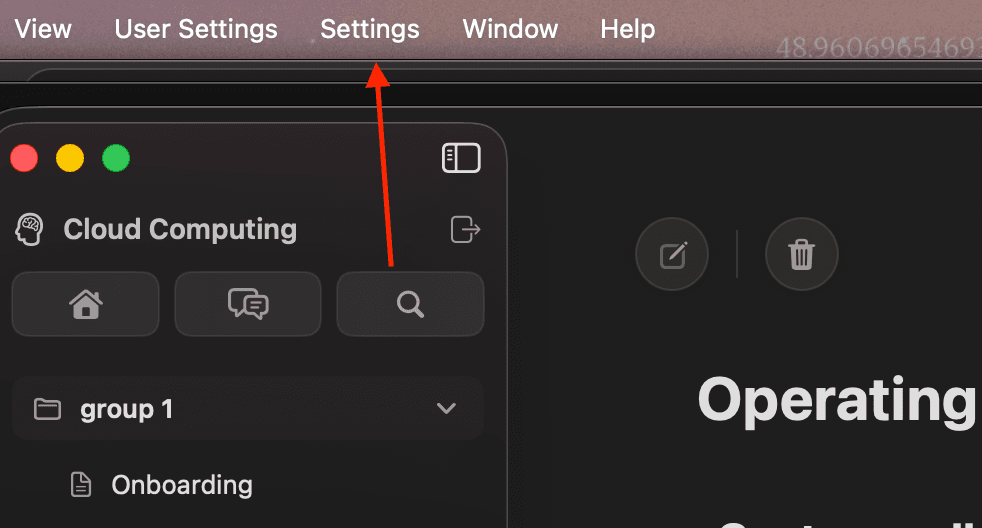
Step 1 — Open Settings
In the Zirn app menu bar, click Settings (shown below).
Step 2 — Paste your API key
In Settings, find the Mistral API Key field and paste the key you copied from the Mistral console. The key stays on your device.

Ready to join early access? Return to the waitlist.